
Skylead Alternatives and What LinkedIn Automation Really Costs
Skylead starts at $100 per month per seat, but the hours cost more. Here is how HeyReach, Dripify, Dux-Soup and other alternatives actually compare.
Why do people leave Skylead?
Three reasons show up again and again: the price scales per seat, the campaign builder takes real time to learn, and the tool sends but does not answer. Skylead prices from $100 per month, often per seat, so a three-person team is at $300 before anyone writes a message.
The learning curve is the one competitors attack hardest. SalesRobot's whole pitch against Skylead is an easier interface, and Expandi argues the case for more structured, safer automation. Both are aimed at the same person: someone who bought a smart-sequence builder, spent two evenings mapping if/then branches, and got 40 invites out the door.

What does Skylead actually cost once you add your time?
The subscription is $100 a month on Skylead's own pricing page. The larger number is the hours. Running 22 invites a day across 20 working days is about 440 invites a month, and writing the sequences, checking the inbox, and booking the calls takes roughly an hour a day.
Twenty hours a month at $75 an hour is $1,500. Add the $100 and you are at $1,600 to run one seat. Two seats and two people doing the same work is $3,200. This is where the switch usually happens, because no alternative on this list changes the hours line. Most of them only change the $100.
What are the main Skylead alternatives?
Meet Alfred, Dripify, Dux-Soup, HeyReach, Expandi, SalesRobot, LinkedCamp, Closely, TexAu, Apollo and ZoomInfo all get named in Skylead comparisons. They are not interchangeable. Roughly, they split into data tools, single-seat automation, agency multi-account senders, and AI SDRs that handle the conversation after the connection.
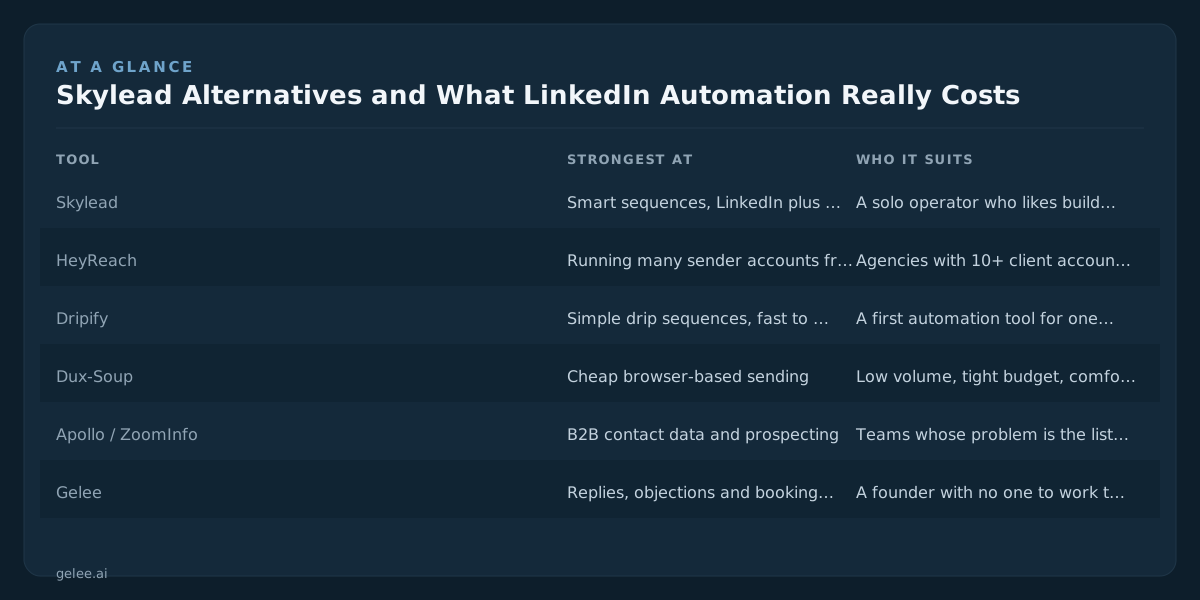
| Tool | Strongest at | Who it suits |
|---|---|---|
| Skylead | Smart sequences, LinkedIn plus cold email in one flow | A solo operator who likes building branching logic |
| HeyReach | Running many sender accounts from one dashboard | Agencies with 10+ client accounts and staff to work them |
| Dripify | Simple drip sequences, fast to learn | A first automation tool for one or two seats |
| Dux-Soup | Cheap browser-based sending | Low volume, tight budget, comfortable with a Chrome extension |
| Apollo / ZoomInfo | B2B contact data and prospecting | Teams whose problem is the list, not the sending |
| Gelee | Replies, objections and booking in your voice | A founder with no one to work the inbox |
Apollo, Dripify, Wiza, TexAu and Closely all ship native CRM integrations with HubSpot and Salesforce, which matters if your pipeline lives there and you do not want a Zapier chain in the middle.
Which alternative is best for an agency running client accounts?
HeyReach, and it is not close for that use case. It is built so one dashboard drives many sender accounts, which is the thing Skylead's per-seat model makes expensive. Agencies running 10 or more client logins land there because one login covers all of them instead of one seat each.
The catch for an agency is staffing. One person can comfortably manage the inbox for maybe five or six active client accounts before reply quality drops. At 12 accounts you need two people, and two people at $4,000 a month is the line item that decides whether the account is profitable, not the software.
Which is best if Skylead was just too complicated?
Dripify or SalesRobot. Both do linear sequences with far fewer settings, and both are aimed directly at people who opened Skylead's condition builder and closed it again. You lose branching logic. If your sequence is invite, message, follow-up, follow-up, you were never using the branches.
Be clear about what you are buying, though. A simpler sender still leaves you writing the copy and answering every reply. If you switch from Skylead to Dripify, your monthly hours stay at 20. You saved setup frustration, not time.
What if the problem is the replies, not the sending?
Then every tool above is the wrong purchase, because all of them stop at delivery. Gelee is a LinkedIn-native AI SDR: it sends in your voice, answers replies, handles objections from your playbook, and books the meeting. Setup takes about 15 minutes, and there is no self-serve signup.
Run our published benchmarks against 440 invites a month. A 20 to 30% accept rate is 88 to 132 connections. First messages reply at 12 to 18%, so 11 to 24 conversations. Overall, 3 to 5% of invites turn into meetings, which is 13 to 22 meetings. Every one of those conversations needs a same-day answer. That is the work Skylead hands back to you at 9pm.
There is also a Post Commenters preset that DMs everyone who comments on a watched post, then replies publicly once the DM has sent. If that is the specific job you came for, Drop and the comment-to-DM tools cover the same ground, and we have written about why ManyChat does not transfer to LinkedIn.

Will switching tools fix a bad reply rate?
Usually not. If your first-message reply rate is 4% on Skylead, it will be 4% on Expandi. Reply rate moves with who you target, what your profile says, and whether the first line reads like it was written for that person. The sender is the least important variable.
Check the profile before the tool. Prospects who get your invite open your headline first, and a headline that says "Helping B2B companies scale" is a reason to ignore you. Our LinkedIn headline rewriter is free and takes two minutes. Also worth knowing that organic LinkedIn reach fell hard in 2026, which changes how warm your prospects are before you ever hit send.
How many invites a day is safe on any of these?
LinkedIn does not publish a daily limit, and it moves with account age, your accept rate, and how many people mark you as spam. Our safe numbers: 20 to 25 invites a day on a warm, established account, and 5 to 10 a day for the first two weeks on a new one.
Tools that advertise 100 a day are describing what they can technically send, not what your account survives. At 25 a day you are at about 500 invites a month, which at a 3 to 5% meeting rate is 15 to 25 meetings. If you need more than that, the answer is more sender accounts, not more invites per account.
Who should stay on Skylead?
If you are one person, you are already trained on the smart sequences, you like running LinkedIn and cold email in the same flow, and $100 a month is not the problem, stay. Switching costs you a week of rebuilding sequences and re-warming nothing, for a tool that does the same job.
Gelee is the wrong purchase for two people in particular. Anyone who wants to try before they talk to someone, because there is no self-serve signup. And any agency running 20 sender accounts for clients, because HeyReach's multi-account dashboard is built for exactly that and Gelee is not.
So which Skylead alternative should you pick?
If your problem is the list, buy Apollo or ZoomInfo. If your problem is the interface, buy Dripify. If your problem is that you manage 15 client accounts on separate logins, buy HeyReach. If your problem is that 20 conversations a month are sitting unanswered in your inbox, buy an AI SDR.
Most people searching for this are the fourth case and think they are the second. Count your unanswered LinkedIn threads from the last fortnight before you pick. Gelee's pricing is shared on a demo call.