GeleeGelee
PricingBlog

AI Inbox

Replies in your voice. 24/7.

Every inbound LinkedIn message gets a draft response in your voice — handling objections, answering questions, booking the call. You approve. Or you don't, and autopilot sends it.

AI drafts every reply in your voiceAuto follow-ups on unanswered threadsObjection handling from your playbookCalendar link sent at the right moment
Get started →

How it works

From nothing to meetings booked.

1. Objection playbook (day 1)

8 questions during onboarding capture how you handle the most common objections, pricing questions, and scheduling asks. The AI inbox uses your answers as its playbook.

2. Draft on every inbound

Every new message or reply triggers a drafted response in your voice within 60 seconds. In approval mode, it hits your queue. In autopilot, it sends directly.

3. Auto follow-up on silence

If a conversation goes cold, the AI inbox nudges 3 and 7 days later — in your voice, referencing the last context. Closes 30% more booked meetings than 'first-reply-only' flows.
Never lose a lead to a delayed reply

Prospects expect a reply in hours, not days. LinkedIn data shows a 7x drop in close rate when you reply after 24 hours. The AI inbox drafts the response within 60 seconds of a message landing — so even when you're asleep, in a meeting, or on vacation, the conversation keeps going at the exact pace the prospect expects.

web.gelee.ai
AI inbox

Trained on your actual objection playbook

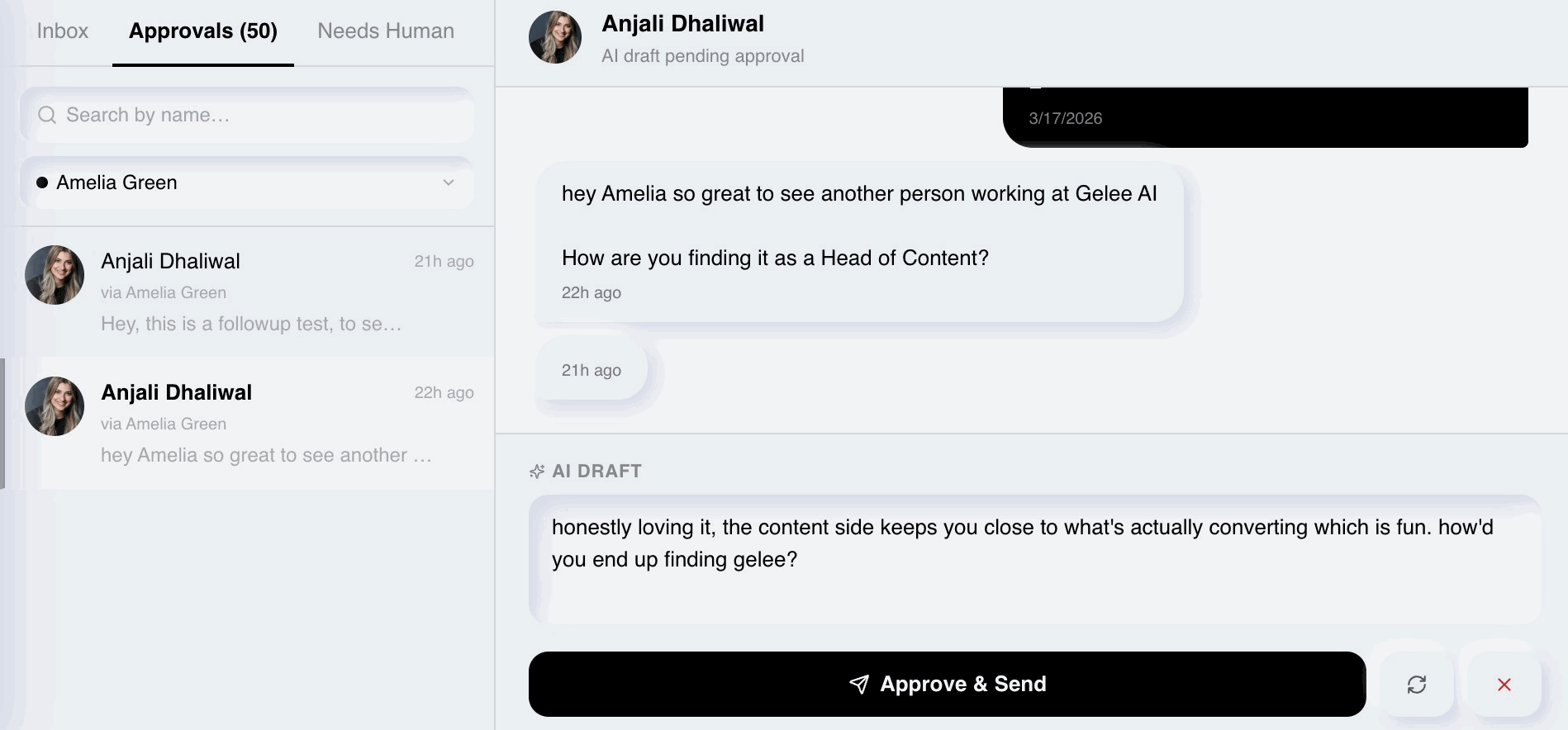
During onboarding you answer 8 questions — "how do you respond to 'what does it cost'", "how do you handle 'send me pricing'", "what's your go-to when someone says 'not now'". The AI handles those the same way you would in your voice, not with scripted corporate answers that signal automation.

web.gelee.ai
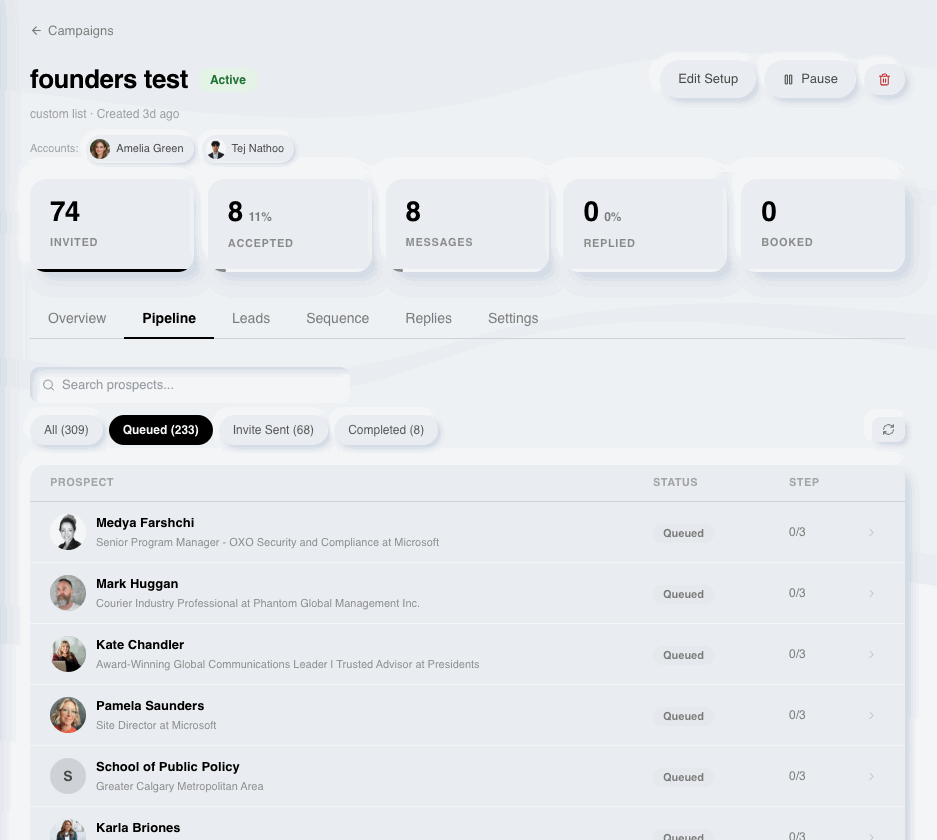
Conversation pipeline

You approve, or the AI sends

Start in approval mode. See every draft before it goes out — one-click approve, edit, or skip. Flip autopilot on once you trust the voice (most clients do by week 2). The AI inbox runs in the background either way, and you stay in control of the conversations that matter.

web.gelee.ai
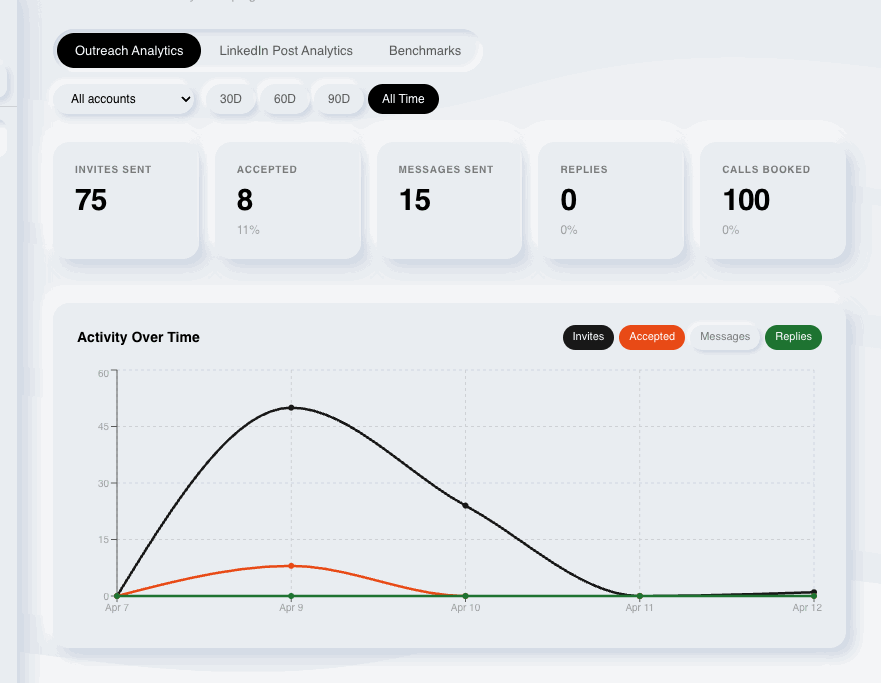
Reply analytics

What's included

Everything you get with AI Inbox.

Draft replies on every inbound in < 60s

Objection handling from your 8-question playbook

Auto follow-ups at 3 and 7 days on cold threads

Calendar link auto-dropped on booking signal

Approval queue with one-click approve / edit / skip

Autopilot mode (off by default)

Conversation pipeline view — see every open thread

Inbox attribution — which replies became meetings

Questions

AI Inbox FAQs.

Can it handle pricing questions?+

Yes. During setup you tell the AI exactly how to respond to 'what's the cost', 'send me pricing', or 'how much'. It uses your exact playbook — share range, deflect to call, or send pricing depending on what you said.

What if the AI gets a reply wrong?+

In approval mode you catch it before it sends. In autopilot mode you can review sent messages in the pipeline view and edit your playbook — the AI adjusts going forward. We also flag 'uncertain' drafts for your review even when autopilot is on.

Does it reply to connection accepts?+

Yes. Connection accepts get a warm opener in your voice — no generic 'thanks for connecting!' The AI waits for a natural conversational beat before the real ask.

How much time does the inbox take?+

In approval mode: ~10 min/day. In autopilot: <1 hour/month to spot-check. Most founders run autopilot and only glance weekly.

Does it work with LinkedIn's messaging natively?+

Yes. Messages send through your LinkedIn account, not a third-party channel. Prospects see normal LinkedIn DMs from you.

< 1 hour / month of your time

Review a few drafts, hit approve. Most Gelee users spend less than an hour on the inbox in any given month.

AI Inbox

Stop losing deals to slow replies.

The AI answers. You approve. Deals close.

Get started →Book a demo